In order to provide you with the best personalised and instant service, this website uses cookies to record and access your browsing information.
When you continue to browse (use) this website, you agree to the technical support of Cookies. For more information, please refer to the privacy protection statement.
THE PRIVACY PROTECTION STATEMENT
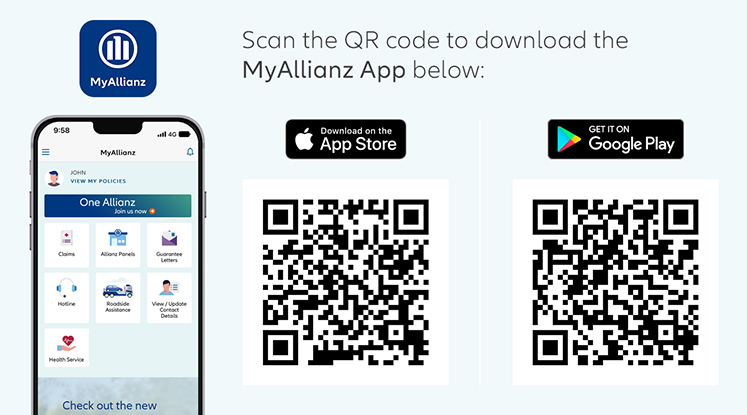
To enjoy the best experience of MyAllianz app, it's important to keep your operating system up to date. The recommended versions are iOS 13 and above, and Android 8.1 (API level 27) and above.
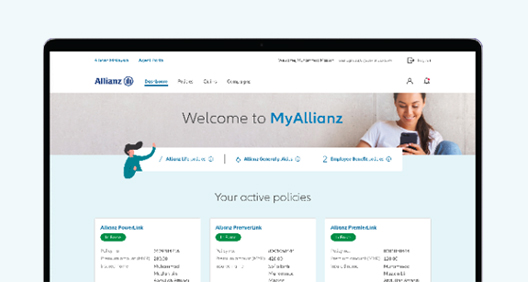
MyAllianz is the One Allianz platform to manage your Allianz Malaysia policies, anytime and anywhere.
Discover and experience the convenient self-service features – easy access to your policies, submit insurance claims, view/download your e-medical card, request for e-Guarantee Letter, make premium payments for your Allianz Life policies, check NCD, explore exclusive Health Services, redeem Allianz We Care Community benefits, join rewarding campaigns and more!
MyAllianz is also available for non-customers for Allianz General third-party claim submissions.
No, only one account can be registered for each NRIC or passport.
Currently, customers with mobile number prefix +60 (Malaysia Country Code) and +65 (Singapore Country Code) can register for MyAllianz.
If you do not receive an SMS OTP during registration, we recommend reaching out to your telco service provider to inquire about any potential SMS blocks. Additionally, please check your device settings to ensure that the number 68886 is not blocked. You can refer to the following videos to learn how to check for blocked numbers on your device:
If the issue persists after confirming that the SMS OTP is not being blocked by the telco service provider and that the device is not blocking any SMS OTP from 68886, please contact Allianz Customer Service at [email protected] for further assistance.
Please click on “Forgot User ID / Password” and reattempt your login.
If the issue persists, please contact Allianz Customer Service at [email protected] for further assistance.
MyAllianz is available in English language only.
For Allianz General and Allianz Life policyholders, you can update your contact details via the MyAllianz app. Do note that this service is not available on the web version as it requires Multi-Factor Authentication.
For Allianz Employee Benefits policy members and Huawei device users, please contact Allianz Customer Service at [email protected] for further assistance.
Allianz Comprehensive Motor Insurance policyholders may request assistance from Allianz Road Rangers and report breakdowns or accidents directly through MyAllianz app or web version through the “Allianz Roadside Assistance” button.
Currently MyAllianz doesn't support e-wallet payments for policy premiums. You can opt for the recurring payment option or online banking to pay for your Allianz Life insurance premiums on MyAllianz.
Yes, however the Life Assured individual will not be able to access the policy if he/she is not the registered policyholder. Only registered policyholders can access and manage their policies on MyAllianz.
You will not be able to do so as only registered policyholders can access and manage their policies on MyAllianz.
You would require internet connection for MyAllianz access. We recommend downloading the e-medical card from MyAllianz and save it in your device to view it at any time even when offline.
No. Should you need any assistance, please reach out to your Allianz servicing agent who is always ready to help review your policy with you to ensure that it meets your current protection and financial needs. For any further assistance, please contact Allianz Customer Service at [email protected].
Yes, you can still submit claims via MyAllianz after the travel policy has expired. To submit claims, please log in to MyAllianz and navigate to “Claims”. Click on “Submit a Claim” button under the “Allianz General” tab.
Yes, you can submit the Allianz General claims on behalf of the policyholder via MyAllianz. During the claim submission, the submitter needs to declare the relationship with the policyholder in MyAllianz.
No, only one account can be registered for each NRIC or passport. You may continue using your existing account (User ID and password) to access MyAllianz account.
If you encounter issues accessing your e-medical card, please reach out to Allianz Customer Service at [email protected].
Claims for Allianz Employee Benefits policies must be submitted within the policy coverage period. If you have claims to submit after the policy has expired, please reach out to Allianz Customer Service at [email protected].
Dependents can register for MyAllianz. However, please take note that the Allianz Employee Benefits policy details are only accessible by the registered employee only.
You would require internet connection for MyAllianz access. We recommend downloading the e-medical card from MyAllianz i and save it in your device to view it at any time even when offline.
Please take note that the Allianz Employee Benefits policy details including e-medical card are only accessible by the registered employee only. You may download and share the e-medical card with your dependent.
Bahasa Malaysia
Umum
Aksesibiliti polisi dalam MyAllianz
Berkaitan tuntutan
Manfaat Pekerja Allianz
Umum
MyAllianz adalah platform One Allianz dimana anda boleh menguruskan polisi Allianz Malaysia anda pada bila-bila masa dan di mana-mana sahaja.
Temui dan alami ciri layan diri yang mudah - akses mudah kepada polisi anda, kemukakan tuntutan insurans, lihat/muat turun kad e-perubatan anda, mohon Surat e-Jaminan, buat bayaran premium untuk polisi Allianz Life anda, semak NCD, teroka Perkhidmatan Kesihatan eksklusif, tebus manfaat Allianz We Care Community, sertai kempen berganjaran dan banyak lagi!
MyAllianz juga menawarkan penyerahan tuntutan pihak ketiga Allianz General bagi bukan pelanggan.
Jika anda mendaftar melalui aplikasi, kami mengesyorkan untuk mengguna iOS 13 atau lebih baharu untuk peranti Apple dan Android 8.1 (API tahap 27) atau lebih baharu untuk peranti Android.
Jika anda menggunakan peranti Huawei, anda boleh mengakses MyAllianz pada pelayar web mudah alih di: https://allianz.com.my/customer
Tidak boleh. Setiap kad pengenalan atau pasport hanya boleh didaftarkan dengan satu akaun pada satu masa.
Buat masa ini, hanya pelanggan dengan awalan nombor mudah alih +60 (Kod Negara Malaysia) dan +65 (Kod Negara Singapura) boleh mendaftar untuk MyAllianz.
Jika anda tidak menerima SMS OTP semasa pendaftaran, kami menasihatkan anda untuk menghubungi pembekal perkhidmatan telekomunikasi anda dan bertanya tentang sebarang kemungkinan sekatan SMS. Selain itu, sila semak tetapan peranti anda untuk memastikan nombor 68886 tidak disekat. Anda boleh merujuk kepada video berikut untuk mengetahui cara menyemak nombor yang disekat pada peranti anda:
Jika isu masih berterusan selepas mengesahkan bahawa OTP SMS tidak disekat oleh pembekal perkhidmatan telekomunikasi dan peranti anda tidak menyekat sebarang OTP SMS daripada 68886, sila hubungi Perkhidmatan Pelanggan Allianz di [email protected] untuk bantuan lanjut.
Klik "Forgot User ID / Password" dan cuba untuk log masuk semula.
Jika isu masih berterusan, sila hubungi Perkhidmatan Pelanggan Allianz di [email protected] untuk bantuan lanjut.
MyAllianz tersedia dalam bahasa Inggeris sahaja.
Bagi pemegang polisi Allianz General dan Allianz Life, anda boleh mengemas kini butiran hubungan anda melalui aplikasi MyAllianz. Sila ambil perhatian bahawa perkhidmatan ini tidak tersedia dalam versi web kerana ia memerlukan Pengesahan Berbilang Faktor.
Untuk ahli polisi manfaat pekerja Allianz dan pengguna peranti Huawei, sila hubungi Khidmat Pelanggan Allianz di [email protected] untuk bantuan lanjut.
Pemegang polisi Insurans Motor Komprehensif Allianz boleh meminta bantuan daripada Allianz Road Rangers dan melaporkan sebarang kerosakan atau kemalangan melalui butang “Allianz Roadside Assistance” di aplikasi atau web MyAllianz.
Buat masa ini, MyAllianz tidak menyediakan pembayaran e-dompet untuk premium polisi. Anda boleh memilih untuk membayar premium insurans Allianz Life anda secara pembayaran berulang atau melalui perbankan internet di MyAllianz.
Ya, tetapi individu dengan status Hayat Yang Diinsuranskan tidak akan dapat mengakses polisi jika dia bukan pemegang polisi berdaftar. Hanya pemegang polisi berdaftar sahaja yang boleh mengakses dan mengurus polisi mereka di MyAllianz.
Anda tidak boleh berbuat demikian, hanya pemegang polisi berdaftar sahaja yang boleh mengakses dan mengurus polisi mereka di MyAllianz.
Untuk mengakses MyAllianz, anda memerlukan sambungan internet. Kami menasihatkan anda untuk memuat turun kad e-perubatan daripada MyAllianz untuk disimpan dalam peranti anda supaya anda boleh membuka kad e-perubatan pada bila-bila masa walaupun di luar talian.
Tidak. Sekiranya anda memerlukan sebarang bantuan, sila hubungi ejen servis Allianz anda yang sentiasa bersedia untuk membantu menyemak semula polisi untuk memastikan ia memenuhi keperluan perlindungan dan kewangan semasa anda. Untuk sebarang bantuan lanjut, sila hubungi Khidmat Pelanggan Allianz di [email protected].
Berkaitan tuntutan
Ya, anda boleh menghantar tuntutan anda melalui MyAllianz.
Ya, anda boleh menghantar tuntutan melalui MyAllianz walaupun polisi perjalanan sudah tamat tempoh. Untuk menyerahkan tuntutan, sila log masuk ke MyAllianz dan navigasi ke "Claims". Klik pada butang "Submit a Claim" di bawah tab "Allianz General".
Ya, anda boleh menghantar tuntutan Allianz General bagi pihak pemegang polisi melalui MyAllianz. Semasa penyerahan tuntutan, penghantar perlu mengisytiharkan hubungan dengan pemegang polisi dalam MyAllianz.
Tidak, hanya satu akaun boleh didaftarkan untuk setiap kad pengenalan atau pasport. Anda boleh terus menggunakan akaun sedia ada anda (ID Pengguna dan kata laluan) untuk mengakses akaun MyAllianz.
Jika anda menghadapi masalah mengakses kad e-perubatan anda, sila hubungi Perkhidmatan Pelanggan Allianz di [email protected].
Tuntutan untuk polisi manfaat pekerja Allianz mesti dihantar dalam tempoh perlindungan polisi. Jika anda mempunyai tuntutan untuk dihantar selepas polisi tamat tempoh, sila hubungi Perkhidmatan Pelanggan Allianz di [email protected].
Tanggungan boleh mendaftar untuk MyAllianz. Tetapi, sila ambil perhatian bahawa butiran polisi manfaat pekerja Allianz hanya boleh diakses oleh pekerja berdaftar sahaja.
Untuk mengakses MyAllianz, anda memerlukan sambungan internet. Kami menasihatkan anda untuk memuat turun kad e-perubatan daripada MyAllianz untuk disimpan dalam peranti anda supaya anda boleh membuka kad e-perubatan pada bila-bila masa walaupun di luar talian.
Sila ambil perhatian bahawa butiran polisi manfaat pekerja Allianz termasuk kad e-perubatan hanya boleh diakses oleh pekerja berdaftar sahaja. Anda boleh memuat turun dan berkongsi kad e-perubatan dengan tanggungan anda.
发现和体验线上自助服务的便利——轻易查阅您的保单、提交保险索赔、查看或下载您的电子医疗卡、申请电子保证信、支付您 Allianz Life 保单的保费、检查汽车保险的无索偿折扣(No Claim Discount)、探索专属健康服务、兑换 Allianz We Care Community 福利、参与奖励活动以及更多!